A camera system gives you peace of mind: you can see who is ringing at the gate, whether the garage is in order, and if something does happen, there is footage. But for the system to deliver that, it isn't enough to put a few cameras on the corners of the house. Badly placed cameras, an image that blows out against the light, unusable night footage, remote access left on the factory password — these are all mistakes that are easy to avoid before installation.
In this article we go through the questions worth thinking about before installing a camera system at a family home: placement, resolution and night image, recording and storage, remote access, and the basics of data protection.
First, the goal: what do you want to see?
Every good camera system starts with a simple question: what do you want to use it for? The answer determines how many cameras you need, where they go, and what they must be able to do.
- Identifying visitors: at the front door and the gate you need an image in which a face or a number plate can be recognised.
- Overview: in the garden, the yard or at the garage drive, it is more important that the whole area is visible — here a wide field of view matters.
- Reviewing events: if the aim is to look back at what happened after an incident, planning the recording and storage is at least as important as the camera itself.
At the free on-site visit we talk this through together, and the placement plan is drawn up from it.
Placement: where should the cameras go?
The typical spots
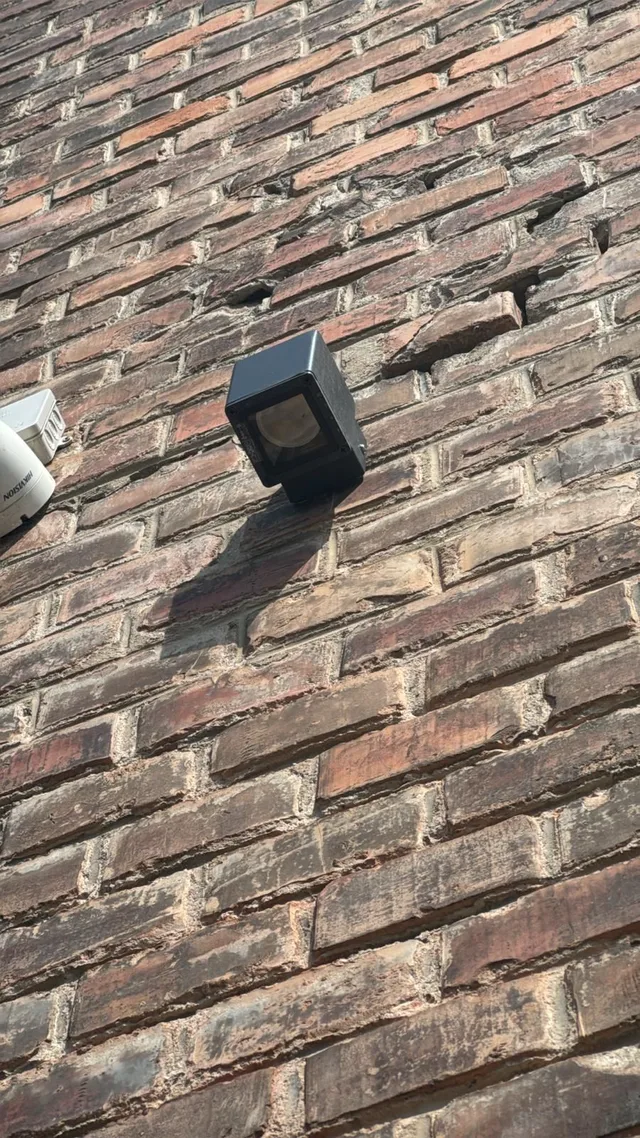
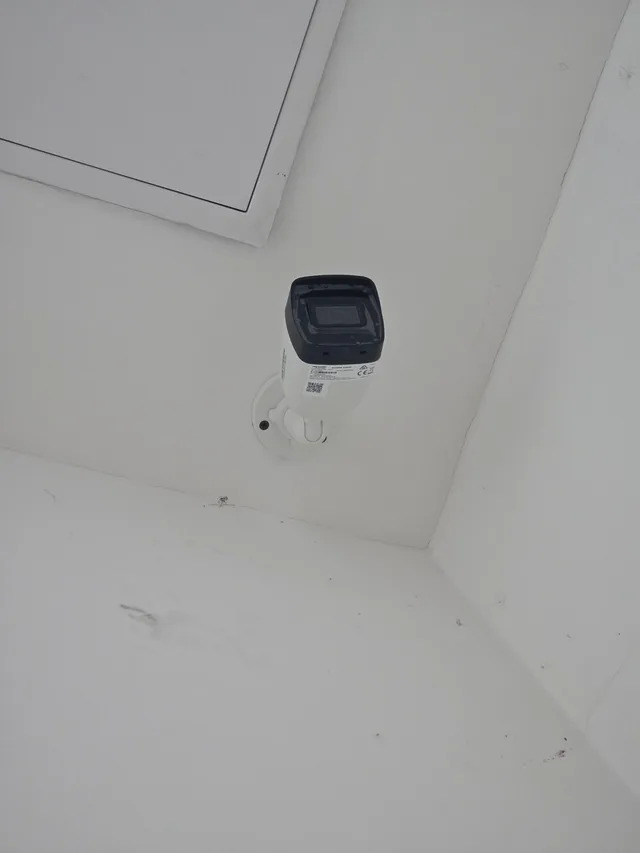
At a family home, the usual candidates are the front door, the gate or driveway, the garage, the back entrance and the parts of the garden that are hard to see. Indoors — if it is needed at all — usually the hallway or the part of the living room facing the entrance.
Height and angle
A camera mounted very high is well protected against vandalism, but from above a face is barely recognisable. One mounted too low is easy to reach. The right placement lies between the two and depends on the job: a camera meant for identification works best closer and lower, an overview camera higher up.
Light and backlight
Most of the time it is the light that ruins a camera's image: backlight streaming in through the open gate, a street lamp in the field of view, or a wall that shows nothing in the evening. That is why we choose camera positions with the different times of day in mind and, where needed, plan together with the outdoor lighting.
Blind spots
We match the fields of view of the cameras so that no blind spot is left in the important areas — for example, right next to the front door, along the wall of the house.
Your own property only
When placing cameras we also take data protection into account: the camera's field of view should be aimed at your own property, not at the neighbour's or the street. We write about this in more detail in a separate section below.
Resolution and night image
Resolution and field of view
Higher resolution means more detail, but resolution alone is not everything: a camera with a very wide field of view ‘spreads’ the same resolution over a larger area, so a more distant face shows less detail. That is why we choose the camera type to suit the job: identification needs something different from an overview.
Night image: infrared or colour?
Most security cameras work at night with infrared illumination: the image is black and white, and the illumination is barely visible, if at all, to the naked eye. More and more cameras can, however, produce a colour image even in low light. Hikvision, for example, offers cameras under the name ColorVu that give a colour image even in little light, as well as ‘Smart Hybrid Light’ cameras that can switch automatically between infrared and visible white light — for example, when a person or a vehicle is detected.
Which is better for you is decided on site: whether there is outdoor lighting, whether a white light switching on would bother the neighbours, and how important colour is on the footage (for example the colour of a car or of clothing).
Recording and storage
Local recorder
In home systems, the footage is usually saved to a hard drive by a local recorder (NVR). That way the footage is kept even if the internet connection is down at the time. We put the recorder somewhere it is protected and not easily reached by unauthorised people.
How long can footage be kept?
The storage time depends on several things: the size of the hard drive, the number and resolution of the cameras, the way of recording (continuous or motion-triggered) and the compression. Modern compression methods — for example Hikvision H.265+ — according to the manufacturer significantly reduce the amount of video data, so a longer recording fits on the same storage. We adjust the exact setting to your needs at installation.
Power and network
IP cameras usually get both power and data connection over a single network cable (PoE). This allows a tidy installation, but it requires reliable cabling and suitable network equipment. That is why we plan the cabling of the cameras with the same care as the rest of the home's electrical system.
Wi-Fi or wired camera?
Wireless cameras can be fitted quickly, but their image depends on the strength of the Wi-Fi signal: a thick wall, a distant corner of the garden or a congested network can cause a choppy image and gaps in the recording. Wired cameras are more stable, and powering them is simpler too. For a new build or a renovation we therefore usually recommend a wired solution; at an existing house we look on site at where cable can be run and where a wireless camera is justified.
Remote access — done safely
One of the biggest advantages of a camera system is that the live image and the recordings can be viewed from anywhere on your phone. The same gateway, however, is also a risk if it isn't set up properly. The UK's National Cyber Security Centre (NCSC) recommends the following for home cameras:
- Change the default password. Factory-set passwords are often well known or easy to guess.
- Keep the software up to date. If possible, switch on automatic updates.
- If you don't need remote access, switch it off.
At installation we make these settings for you: we set unique passwords, update the devices, and give access only to those who need it. We also show you how to use the app.
Data protection: what is worth knowing?
This section is general information, not legal advice. For a specific legal question, it is worth turning to a professional.
According to the decision-making practice of the Hungarian data protection authority (NAIH), a camera may generally observe only up to the boundary of your own property; exceptionally, where this is not enough for protection, observation may also extend to the immediate surroundings with a suitable technical measure (for example masking). If a camera also observes public space or someone else's private property, it is no longer household data processing, and the GDPR applies.
According to the European Data Protection Board's (EDPB) guidelines on video devices, the GDPR does not apply to processing by an individual in the course of a purely personal or household activity, but this exemption must be interpreted narrowly: if a camera also records — even partly — public space or the neighbour's property, the GDPR rules already apply.
In practice we therefore plan the position and field of view of the cameras so that they cover your own property, and where necessary we set up masking in the recorder.
Why is the camera a separate system?
When we also work with Loxone smart homes, the question often comes up: why don't we link the camera to the smart home? We install camera systems from Hikvision equipment as a standalone system, with its own recorder and its own app — we don't connect them to the Loxone system. That way the camera system works fully on its own, and expanding or changing the smart home doesn't affect it.
We wrote about Loxone's security functions (alarm, access control, presence simulation) in our article Loxone security system.
Common mistakes worth avoiding
- Devices left on the default password. The camera or the recorder stays as it came out of the box. Default passwords are often well known or easy to guess, so unauthorised people can get in too — which is why the first step is changing the password.
- A camera pointing into the light. In daytime the image blows out, and the face of the person arriving is exactly what you can't see.
- One camera for everything. A wide-angle camera shows the yard well, but it isn't enough to identify a face.
- An easily reached recorder. If the recorder sits somewhere visible and easy to get to, it can disappear along with the footage.
- A device not rated for outdoor use, outdoors. Outside you need a weatherproof camera and a proper cable entry.
- A camera looking at the neighbour or the street. That is a problem from a data protection point of view too, and it can strain relations with the neighbours.
How we work
1. On-site visit
We look at the house and the plot and talk through what you want to see.
2. Placement plan
We show you where cameras are worth placing, which type suits, and where the recorder goes.
3. Network and cabling
We build a stable, reliable network infrastructure for the cameras.
4. Installation and setup
We mount the cameras and set up the recording, the fields of view and the masking.
5. App and handover
We set up the phone app and show you how to use it.
Frequently asked questions
How many cameras does a family home need?
That depends on the plot and the goal. The entrance, the gate or driveway and the hard-to-see areas are the typical spots. We plan the exact number and placement at the on-site visit, with a layout that leaves no blind spots.
Is the image visible at night too?
Yes. At night, security cameras give a black-and-white image with infrared illumination, and some types can also produce a colour image in low light. Which suits you, we recommend based on the lighting conditions on site.
Can I view the camera images on my phone?
Yes. The systems we install come with a smartphone app, in which you can view the live image and play back recordings. We set up remote access securely, with unique passwords.
How long are the recordings kept?
The storage time depends on the size of the recorder's hard drive, the number and resolution of the cameras, and the way of recording. We adjust the setting to your needs at installation.
Can the camera system be linked to the smart home?
We install camera systems from Hikvision equipment as a standalone system, with its own recorder and app; we don't connect them to the Loxone smart home.
Planning a camera system for your home?
As part of a free on-site visit we'll show you where cameras are worth placing, which type suits, and how the footage can be reached securely — in Sopron and within 30 km.
📞 +36 30 522 7954 ✉️ info@simplesmartelektro.hu Camera systems in Sopron →